
What Is Webcasting? Webcast vs Live Stream, and When You Need a Crew
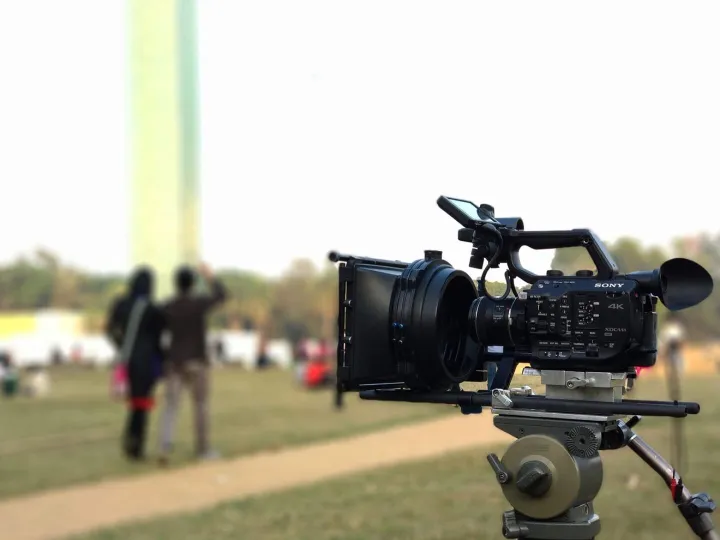
Webcasting explained
The short answer
Webcasting is broadcasting live video over the internet to an audience watching in a web player rather than in a meeting. The word tends to be used for produced, organised broadcasts: conferences, AGMs, results announcements, council meetings, product launches, awards and internal briefings. A live stream is the same technology; a webcast is what you call it when someone is producing it properly.
This guide explains what a professional webcast involves, how it differs from a webinar or a video call, what a venue needs, how public and private audiences work, and when you genuinely need a crew rather than a laptop.
Webcast, live stream, webinar or video call?
- A video call (Teams, Zoom, Meet) is many-to-many: everyone joins the same meeting and can be seen and heard
- A webinar is one-to-many inside meeting software: a presenter, slides, a question box, and an audience limited by the licence
- A live stream is one-to-many video sent to a player: anything from a phone on Instagram to a broadcast
- A webcast is a produced live stream: multiple cameras, mixed sound, graphics, a director, and a player on your own site or a platform, sometimes behind registration
The practical difference is quality and scale. A webinar copes with fifty people looking at slides. A webcast copes with a room of five hundred and an online audience of thousands, and it looks like television.
What a professional webcast involves
- Cameras: usually two to six, operated, covering the stage, the speaker, the audience and the screen
- Vision mixing: a director cutting between cameras and slides live
- Sound: a feed from the venue’s microphones or our own, mixed and mastered so speakers and music sit at the right level
- Graphics: name straps, slides, holding screens, sponsor cards, live captions where needed
- Encoding: the mixed programme turned into a stream at the right bitrate
- Connection: a wired line with headroom, or a bonded mobile link when the venue cannot provide one
- Distribution: a player on your website, YouTube, Vimeo, LinkedIn, Facebook or a private platform, often several at once
- Recording: a clean master captured for on-demand viewing and edited highlights afterwards
At Fruitcake Media that is delivered from a purpose-built outside broadcast unit parked outside the venue, so the technical production stays out of the room. See our live streaming and multi-camera production service for what we bring.
Public, private and hybrid audiences
A public webcast goes out to anyone with the link, typically on YouTube or embedded on your site. A private webcast sits behind a password, an invitation list, a registration form or a company login, which is how internal briefings, member meetings and results announcements run. A hybrid event does both: a room full of people and an online audience who can ask questions through a moderated feed. The decision affects the platform, the player and whether you need registration data afterwards, so it is the first thing we ask.
Bandwidth: what the venue needs
Upload speed, not download, is what matters, and most venue wifi is shared, filtered and unreliable. YouTube’s published guidance recommends roughly 10 Mbps upload for 1080p at 30 frames per second in H.264, 4 Mbps for 720p and 30 Mbps or more for 4K. We plan for at least double the target bitrate on a dedicated wired connection, test it before the day, and carry a bonded cellular link that combines several mobile networks as a backup or as the main feed when the venue cannot deliver. If the room is a basement with no signal, we run cable to where there is.
Platforms
YouTube is free, robust and fine for public events. Vimeo offers cleaner players and stronger privacy controls. LinkedIn and Facebook reach audiences who are already there. Dedicated event platforms add registration, chat and analytics. The stream can go to several destinations at once, and the safest home for the on-demand version is usually a page on your own website, where you control who sees it and for how long.
On-demand afterwards
The live audience is often smaller than the on-demand one. Ask for a clean recording without the waiting screens, a highlights edit for social media, and chapter markers so people can jump to the session they missed. Adding captions to the recording helps everyone and is the accessible thing to do: live video is exempt from the public sector accessibility regulations, but recordings are not.
When you need a crew, and when you do not
You do not need a crew for a ten-minute internal update from a desk; a good webcam, a decent microphone and Teams will do. You do need one when the audience is paying or important, when there is a stage and more than one speaker, when there is music or a panel, when the venue’s internet is unknown, when the stream has to go to several platforms at once, or when it simply has to work first time because there is no second take. Most organisations find the line somewhere around their annual conference, their AGM or their first product launch.
What it costs
A webcast is priced on the number of cameras, the length of the day, the sound and graphics needed, the connection and the platform work, and we quote it in full in advance. A single-camera webcast of a talk costs a fraction of a six-camera conference with graphics and a bonded link, and we will tell you which one your event actually needs rather than the one that looks best on a quote.
Common questions
What is the difference between a webcast and a live stream?
In everyday use they mean the same thing: live video delivered over the internet. Webcast tends to be used for organised, produced broadcasts such as AGMs, conferences and council meetings, while live stream covers everything from a phone on Instagram upwards. A webcast is a live stream with a producer.
What is the difference between a webcast and a webinar?
A webinar is a presentation delivered through meeting software such as Zoom or Teams, usually one speaker and slides, with the audience in the same tool. A webcast is broadcast-quality video sent one way to a player, so it can reach thousands of viewers without them joining a meeting.
How much internet bandwidth does a webcast need?
As a guide, YouTube recommends around 10 Mbps upload for 1080p at 30 frames per second in H.264, and 4 Mbps for 720p. Real venues need headroom, so we look for double the target bitrate on a dedicated wired connection, and bring a bonded mobile link when the venue cannot provide it.
Can a webcast be private?
Yes. Streams can be unlisted, password protected, invitation only or placed behind a registration page or a company login, and the recording can be kept private afterwards. Internal briefings, results announcements and members’ meetings usually run this way.
More live streaming guides
- Funeral live streaming
- Live streaming and multi-camera production
- Video production and commercial photography
Sources
Webcasting with up to six 4K cameras and a director
Fruitcake Media webcasts conferences, AGMs, launches and internal broadcasts from a purpose-built OB unit: multi-camera, mixed sound, graphics, a bonded connection and delivery to your website and every platform at once. Book a call and we will tell you how many cameras it really needs.
About Us
Fruitcake Media is a family-run web design and digital marketing agency. Our monthly subscription website model enables small businesses across the UK to get online from just £39 a month.
Contact Us
Glasshouse, Alderley Park, Congleton Road, Nether Alderley, Macclesfield, Cheshire, SK10 4TG
enquiries@fruitcakemedia.co.uk
01625724284